You can do it in two ways:
- FTP Upload:
- Open up your FTP manager and connect to your hosting
- Browse to wp-content/themes
- Upload the profix theme folder.
- Log Into WordPress and go to Appearance – Themes
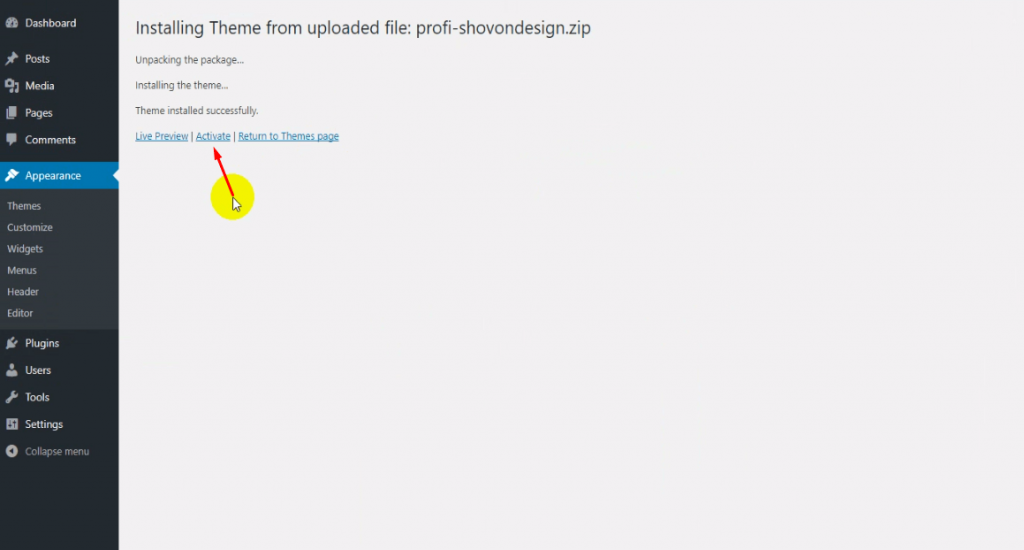
- Find the profix and click activate
- WordPress Upload
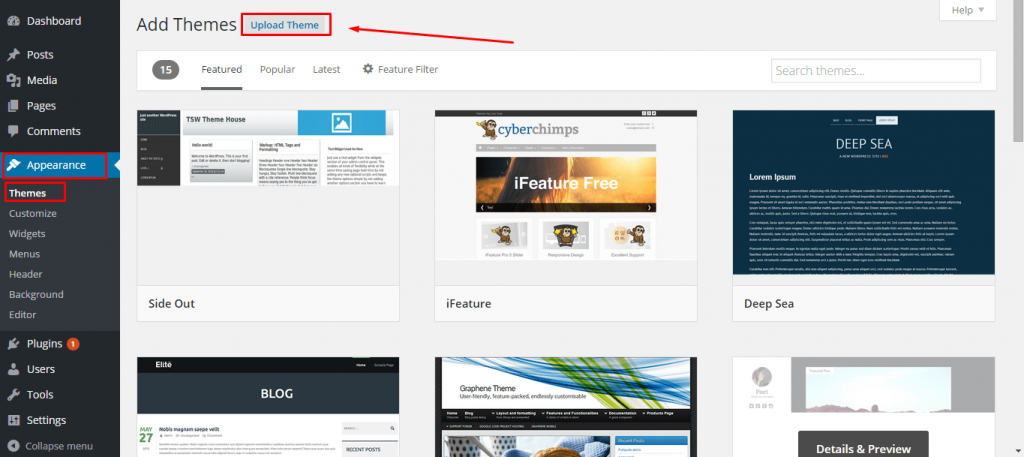
- Navigate to Appearance -> Add New Themes -> Upload.
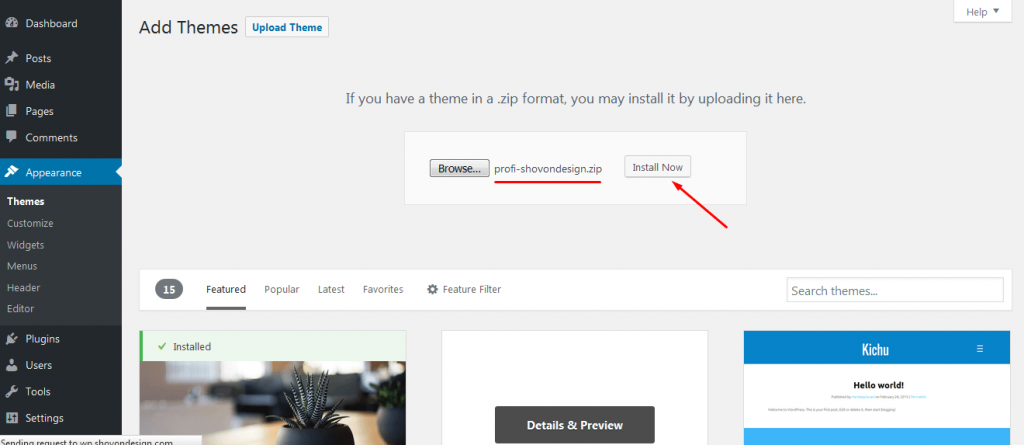
- Follow the instructions on the screen, select the downloaded theme folder (“profix.zip”).
- Hit “Install Now” button and the theme will be uploaded and installed.
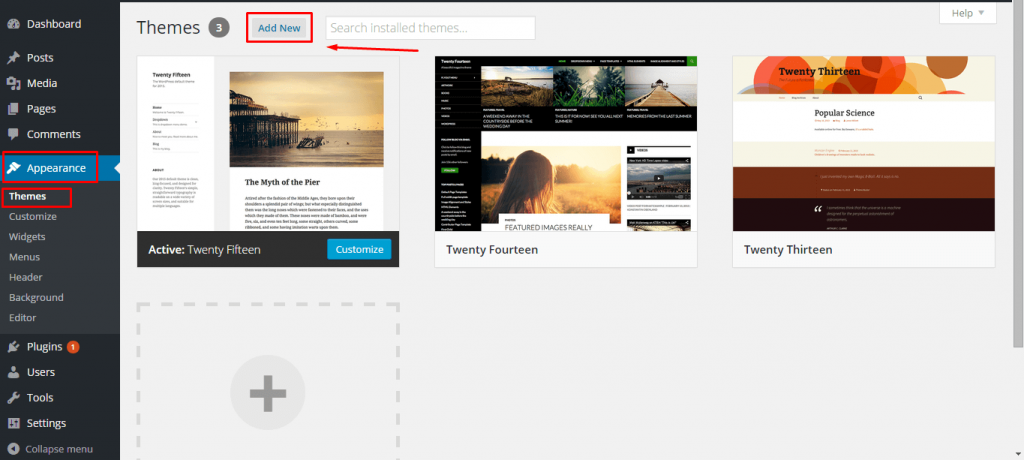
Upload Theme:
Install Theme:
Activate Theme:
Was this article helpful to you?
Yes
No